Summary
A powerful internal tool that only power users could drive
Agent Builder is an internal tool that empowers teams across Tempus to create AI agents for research, operations, and internal automation. Over time it gained a reputation as a "Swiss Army knife" — incredibly powerful, but difficult to use. People could configure genuinely complex logic and behavior, but without any guidance, most struggled just to get started.
The goal: transform Agent Builder into a guided, approachable experience that helped new users build agents with confidence, while keeping the depth that advanced users relied on.
01 — The problem
A lot of power, not enough guidance
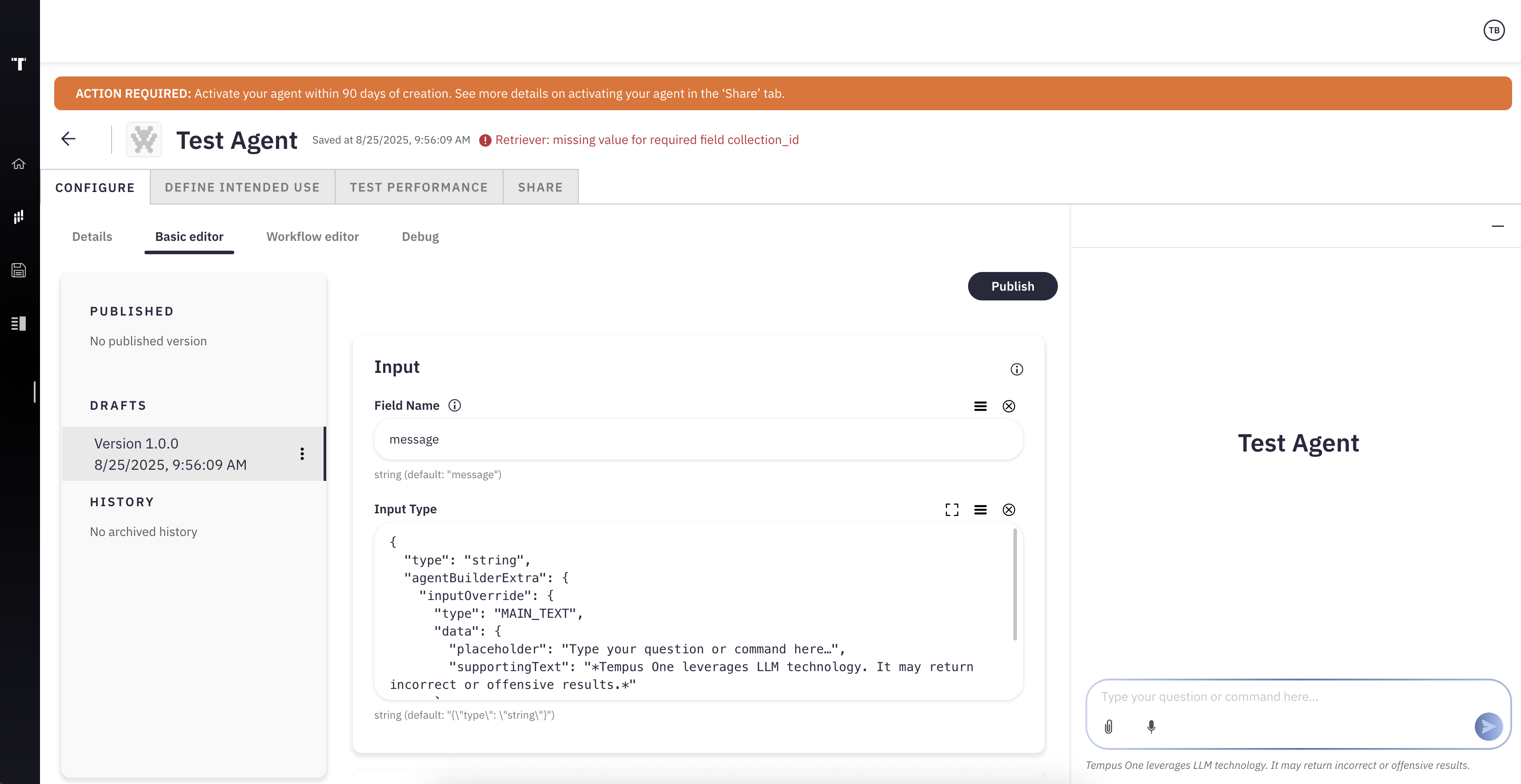
Agent Builder exposed every advanced option at once, with nothing to tell a new user where to start.
Where new users got stuck
- A lot of advanced features, not enough guidance
- Users didn't know where to start
- A steep learning curve for anyone new to the tool
02 — The research
Ten power users, one shared story
We interviewed ten power users across Tempus who frequently interact with AI agents. By examining their workflows in Agent Builder and other Gen AI tools, we set out to uncover the biggest friction points, adoption barriers, and opportunities for improvement — insights that shaped how "Meaningful Adoption" of Gen AI was defined and prioritized across the organization.
Research goals
- Inform prioritization — which Agent Builder features would drive "Meaningful Adoption" of Gen AI
- Define personal value — how Agent Builder empowers people to build "Personally Useful" agents
- Map current tool usage — understand participants' Gen AI tool habits, to guide documentation on tool selection
Defining "Meaningful Adoption"
Before the first interview, the team defined Meaningful Adoption of Gen AI as movement toward two things: a measurable efficiency and quality impact on people's actual work, and proactive, user-driven agent building rather than passive tool use. That definition is what the research was measured against.
Methodology
Date — Interviews were conducted the week of April 28th, 2025.
Format — Qualitative research via one-hour, structured interviews conducted over video conferencing with recordings. Interviewees used screen sharing to explain the composition of their agents.
Approach
- Understand the user's general use of various internal and external Gen AI tools and their primary applications
- Discuss a specific Agent Builder creation, exploring its function, value, and potential improvements
- Ask about the user's outlook on Gen AI at Tempus and gather feedback on enhancing Agent Builder's capabilities and adoption
Note — participant names throughout this research are fictional, and quotes were lightly edited for brevity and clarity.
"Streamline the Agent Builder UI for easy and guided Agent Instructions, adding data, and LLM customization."
A recommendation synthesized from the interviews
Value Derived from "Personally Useful" and "Desired Wide Usage" Agents
Half of the agents we saw in the user interviews ended up being more than just "Personally Useful": five were rated Personally Useful, and five showed Desired Wide Usage — already being developed or refined with the goal of expanding beyond their creator to a wider team.
Agents were classified by two signals: how many questions they'd been asked, and how many unique users relied on them. Agents with heavy, repeated use from a single person were labeled "Personally Useful" — and that cohort became the research focus, since their higher engagement made them the clearest signal of what makes Agent Builder valuable.
Automated Processes
Streamlining repetitive or complex tasks, reducing manual effort and minimizing errors.
Time Savings
Handling routine or time-consuming work. This efficiency frees up valuable time for other priorities.
Enhanced Quality
Improving the accuracy, consistency, and quality of outputs by applying best practices and reducing human error.
Gen AI Education
Providing a space to tinker and experiment with general Gen AI functionality as well as Agent Builder specific functionality for learning purposes.
Mapping the agent lifecycle from prototype through to monitoring surfaced where in that journey users hit the most friction.
Agent development lifecycle
Where the friction concentrated
Owners of "Personally Useful" agents experienced barriers during these initial phases — Build, Test, and Education. Those barriers prevented participants from progressing to later phases in the process, like Share and Publish, and from achieving wider agent adoption.
03 — The process
Concept, wireframes, then high fidelity
From the research, three phases: a fast concept prototype to align leadership, low-fidelity wireframes tested with real users, then high-fidelity screens refined against what that testing surfaced.
Concept development
Created a vibe-coded prototype to explore what a more guided and approachable experience could feel like. I presented it to design directors, PMs, and engineering leads — and received strong support and alignment around the vision.
Wireframes and testing
Once leadership aligned on the concept, I moved into low-fidelity wireframes that mapped out the guided flow step by step. These wireframes focused on helping users understand where they were in the process and what each decision meant for their agent.
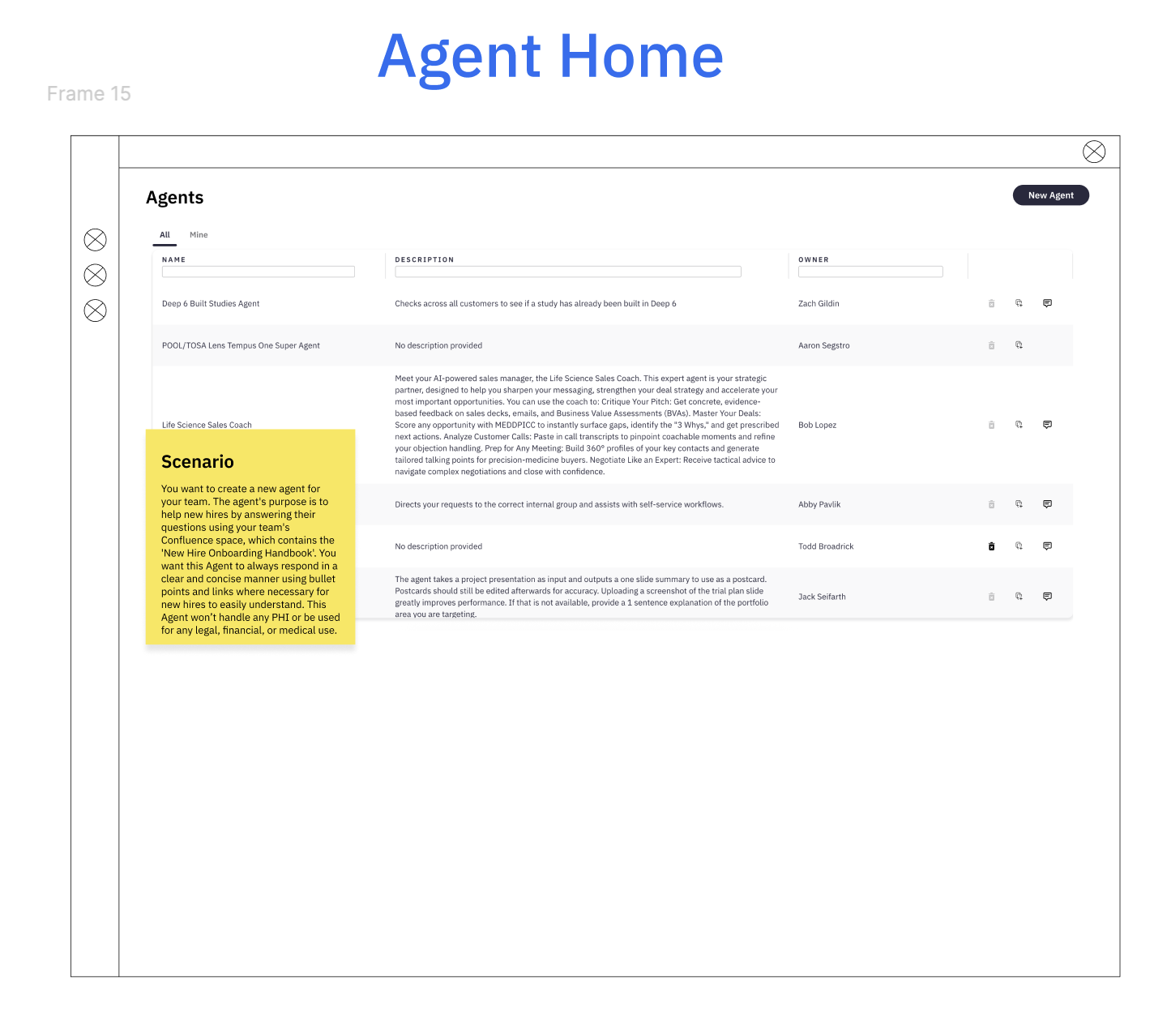
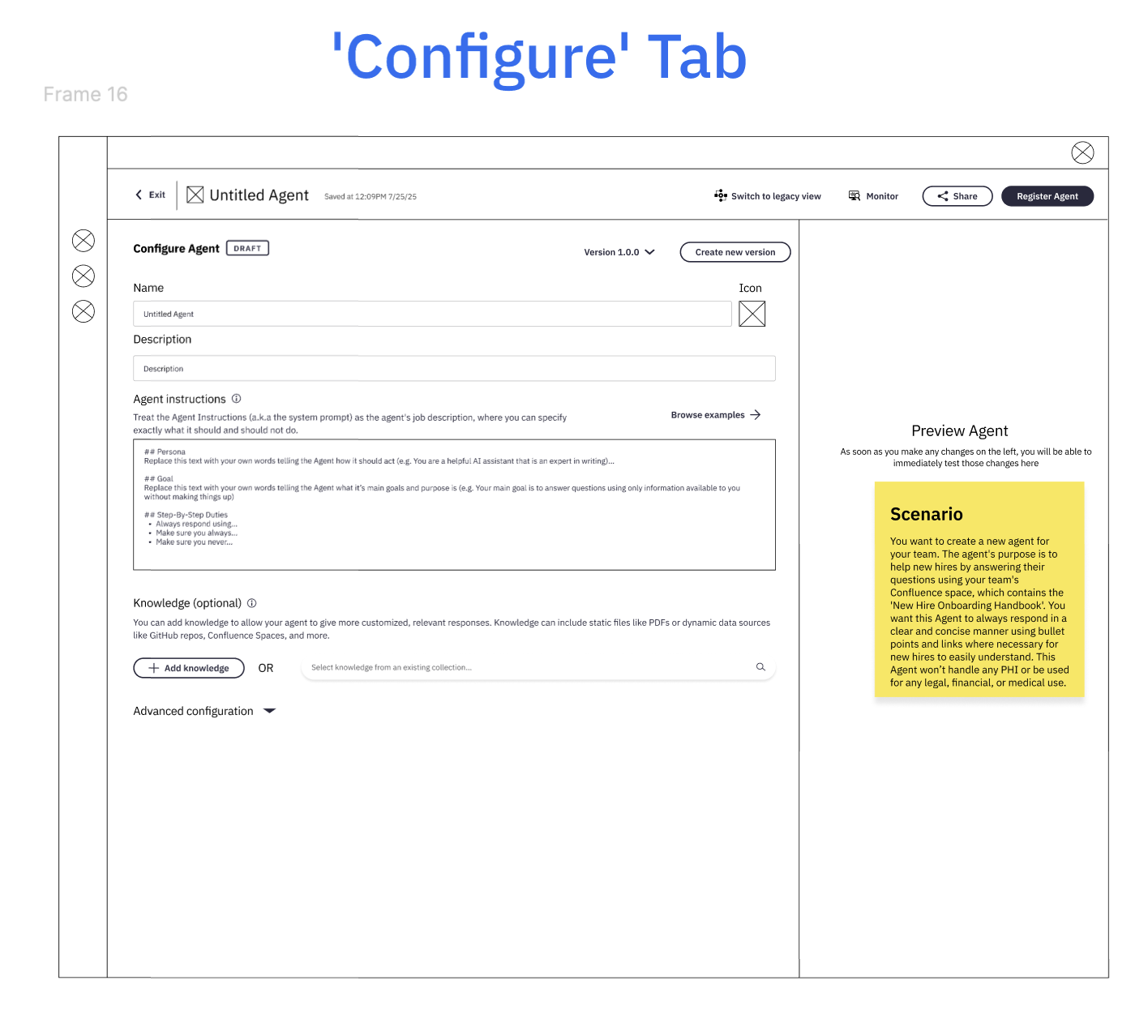
Wireframes — advanced configuration, registering, and sharing
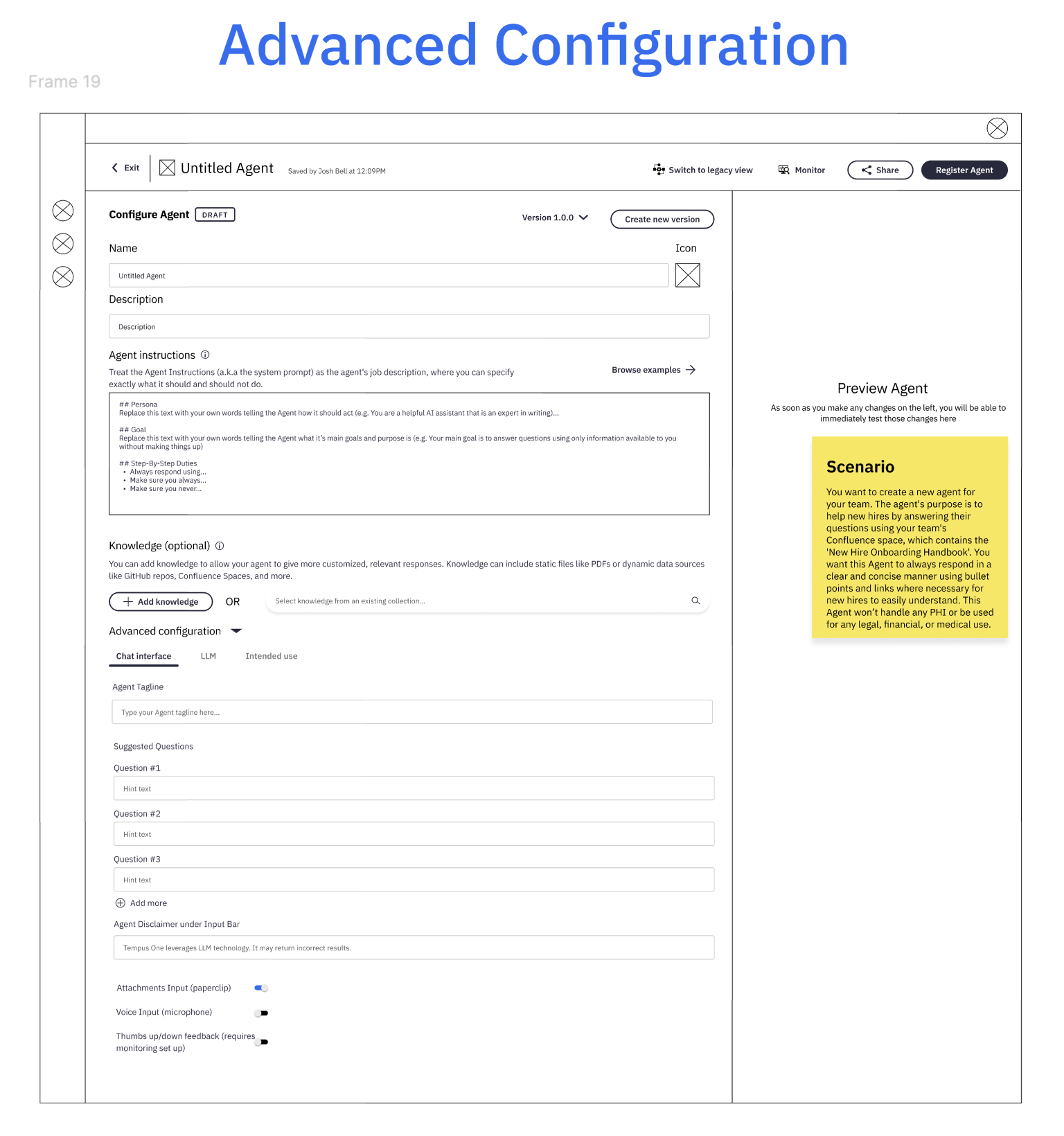
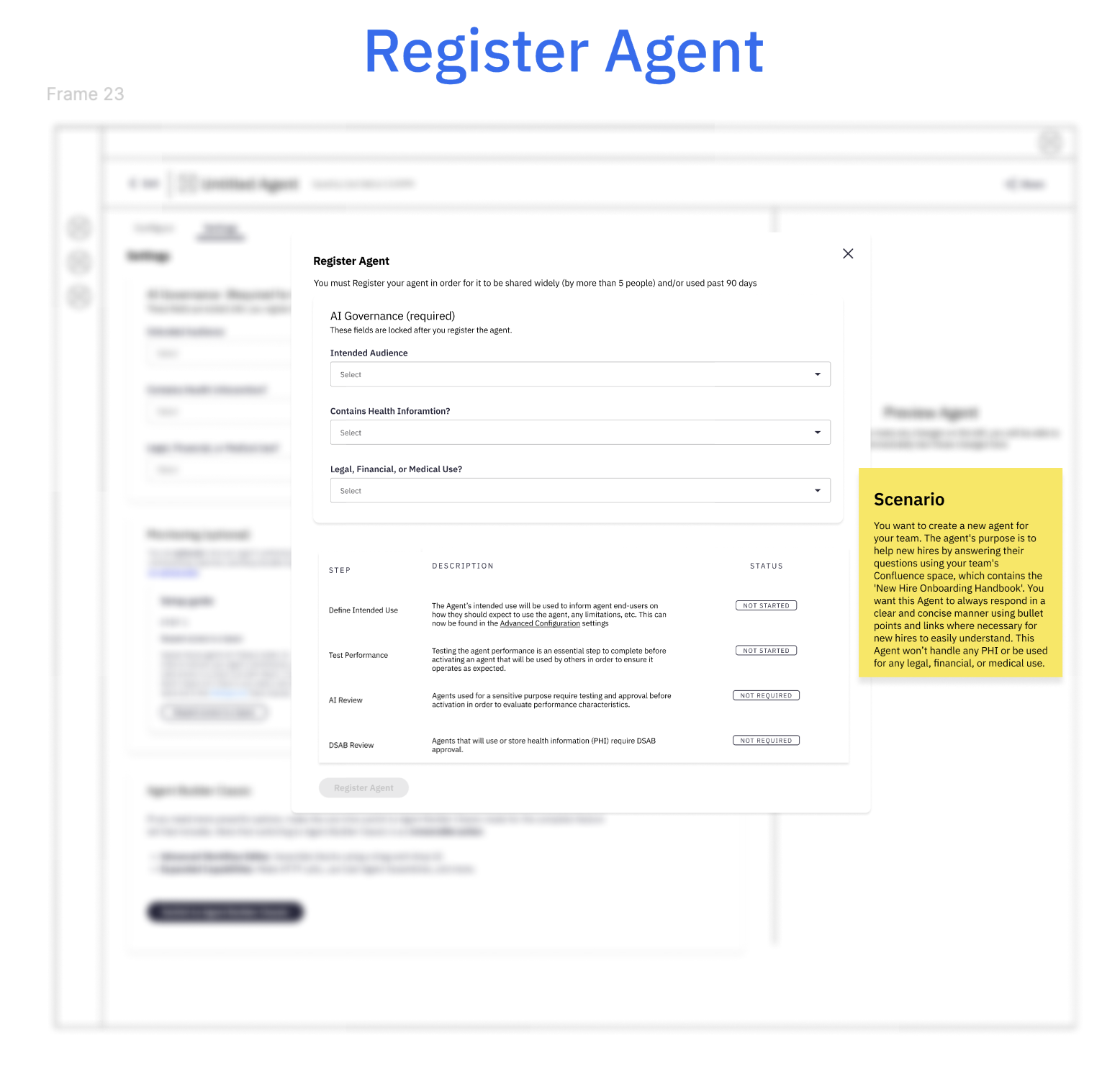
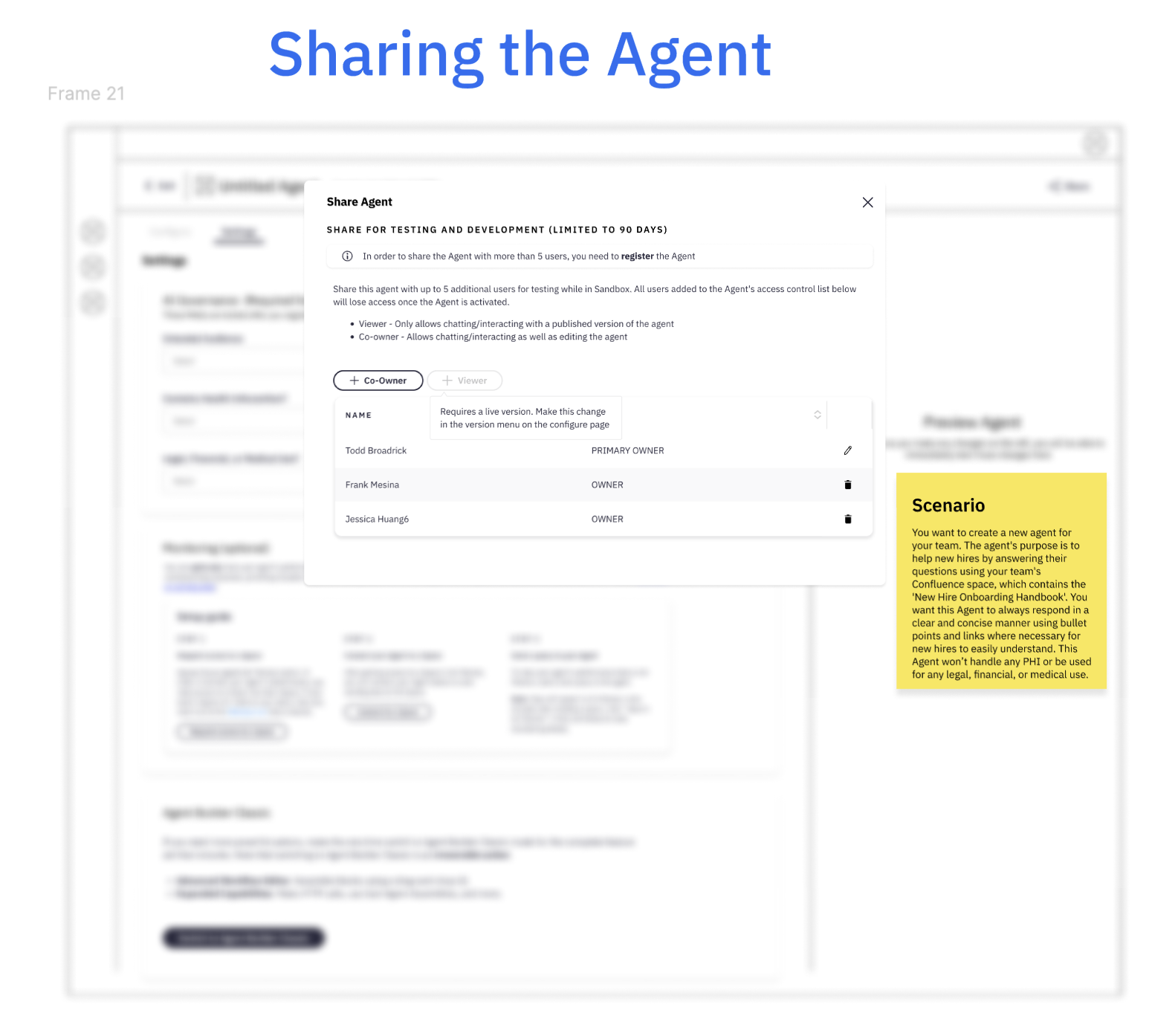
We tested these early screens with 8 internal users — a mix of people who had built agents and people who hadn't. The results were encouraging: users found the new design intuitive and far less intimidating than before, making it easy for them to get started. However, several participants struggled toward the latter half of the building process when it came to understanding what it meant to register an agent, promote it to production, and share it.
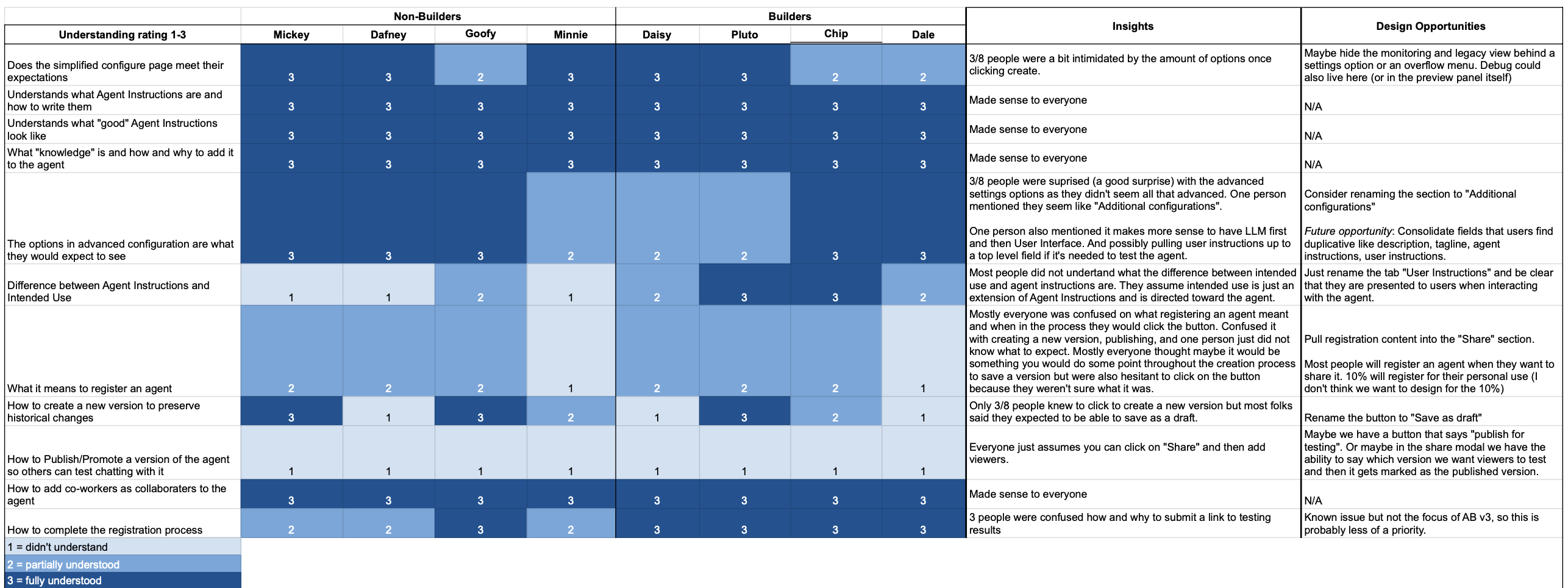
High-fidelity designs and guerrilla testing
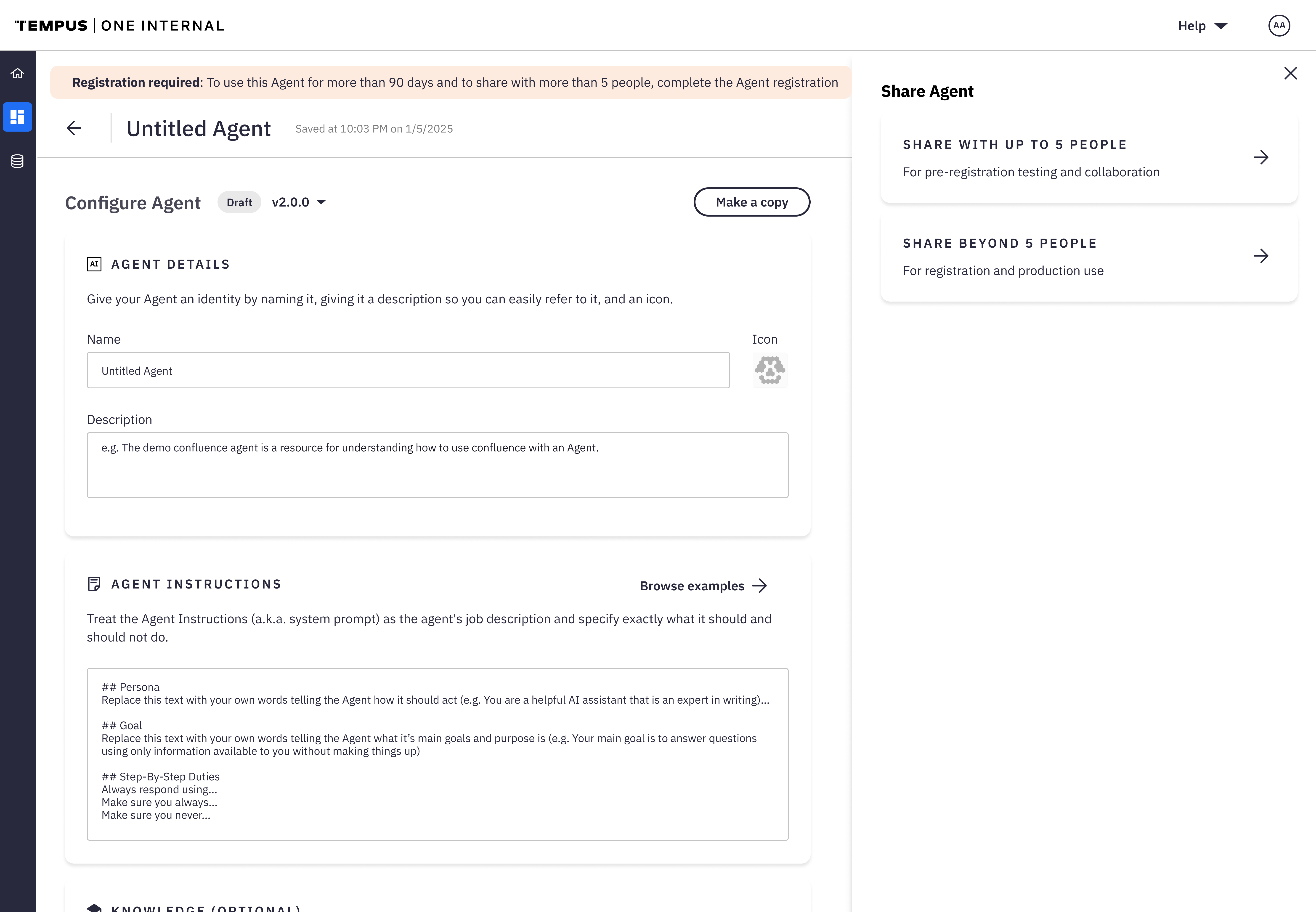
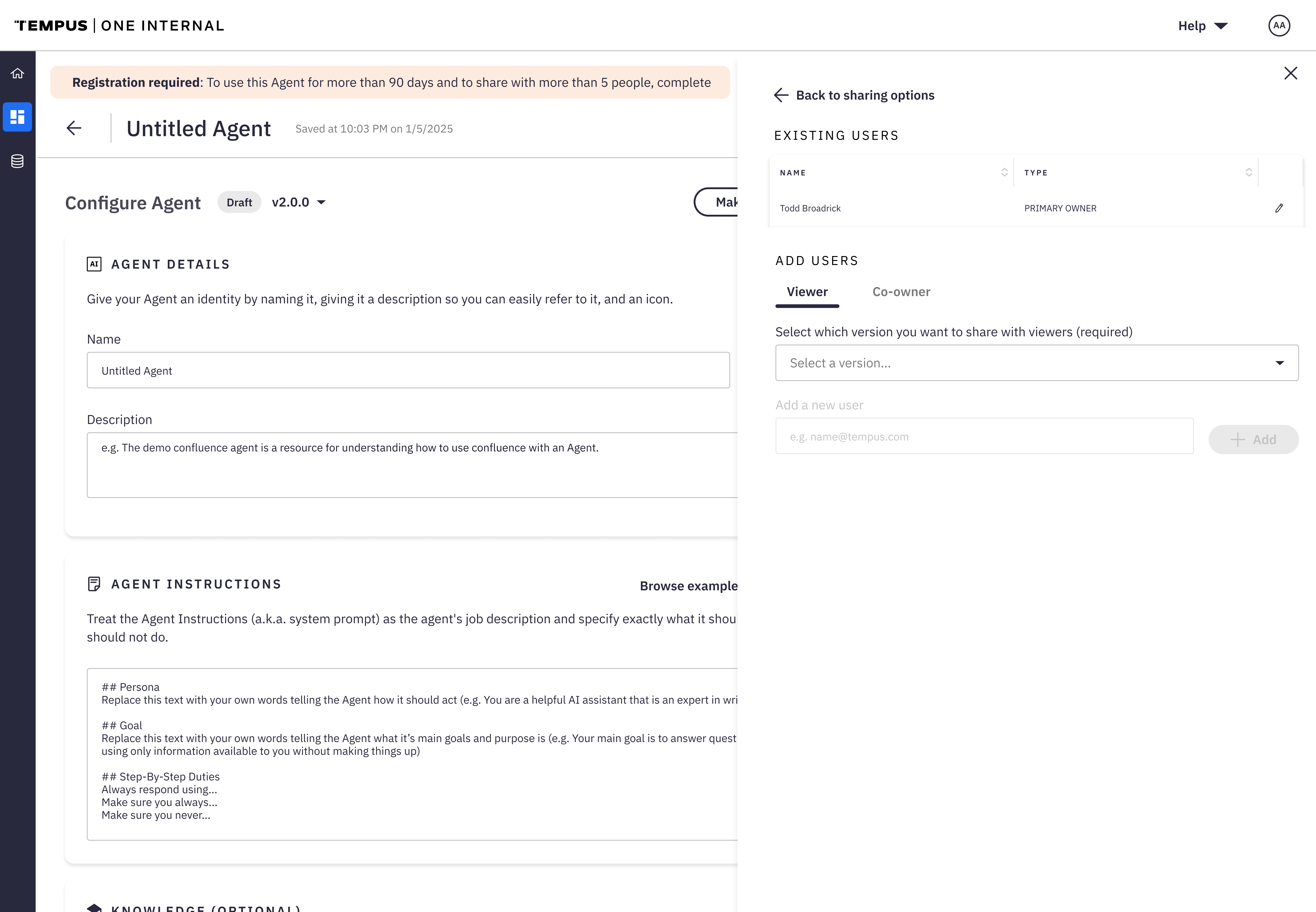
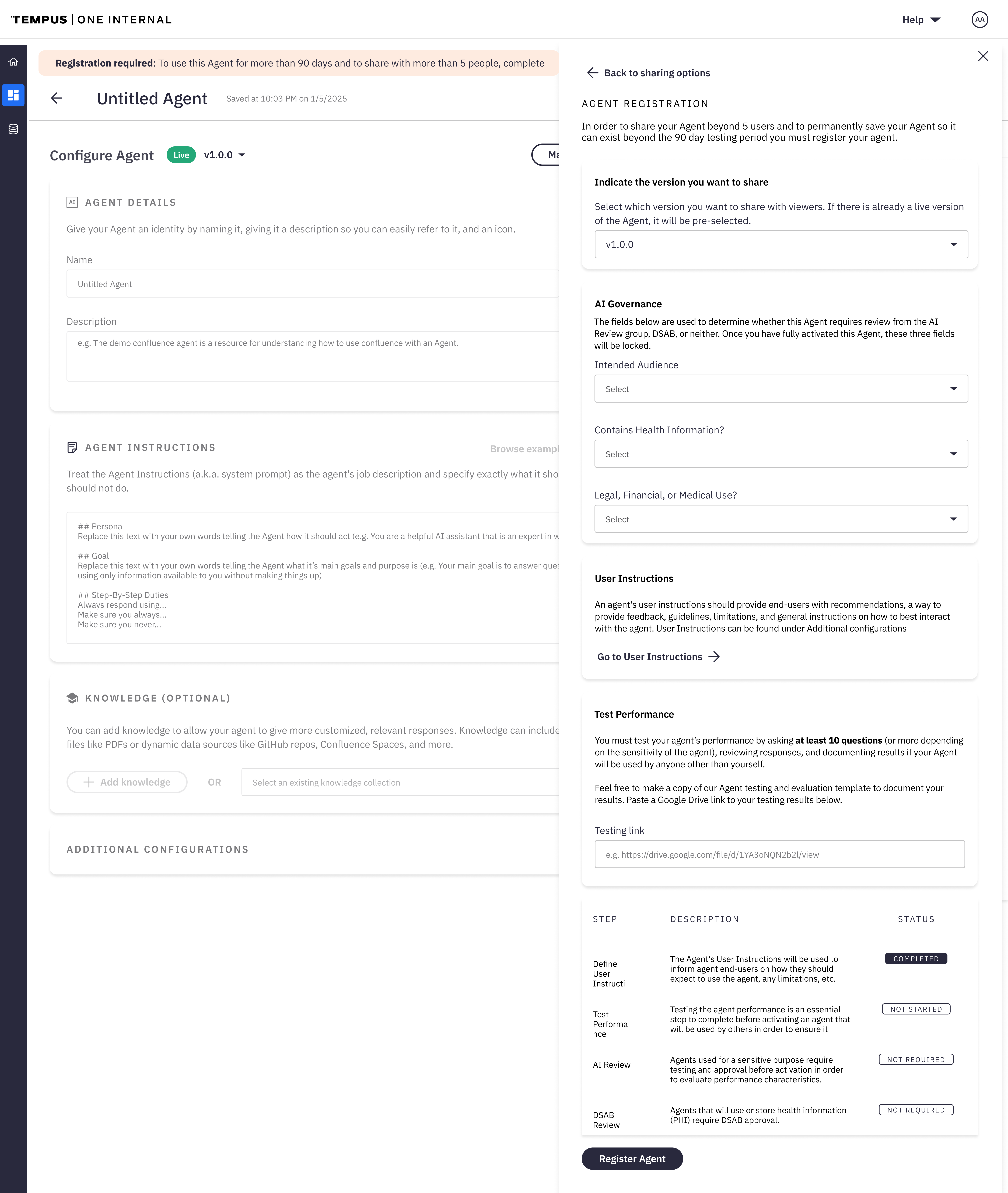
With the core flow validated, I moved into high-fidelity mocks to refine the visuals and interactions. Each step was made clear and lightweight to reduce friction and guide progress. During earlier testing, users showed confusion around the final steps — registering, sharing, and promoting agents to production — so I made focused design tweaks to clarify these actions, including a guided entry point for sharing.
04 — What changed
From open sandbox to guided flow
Surface only the core building blocks
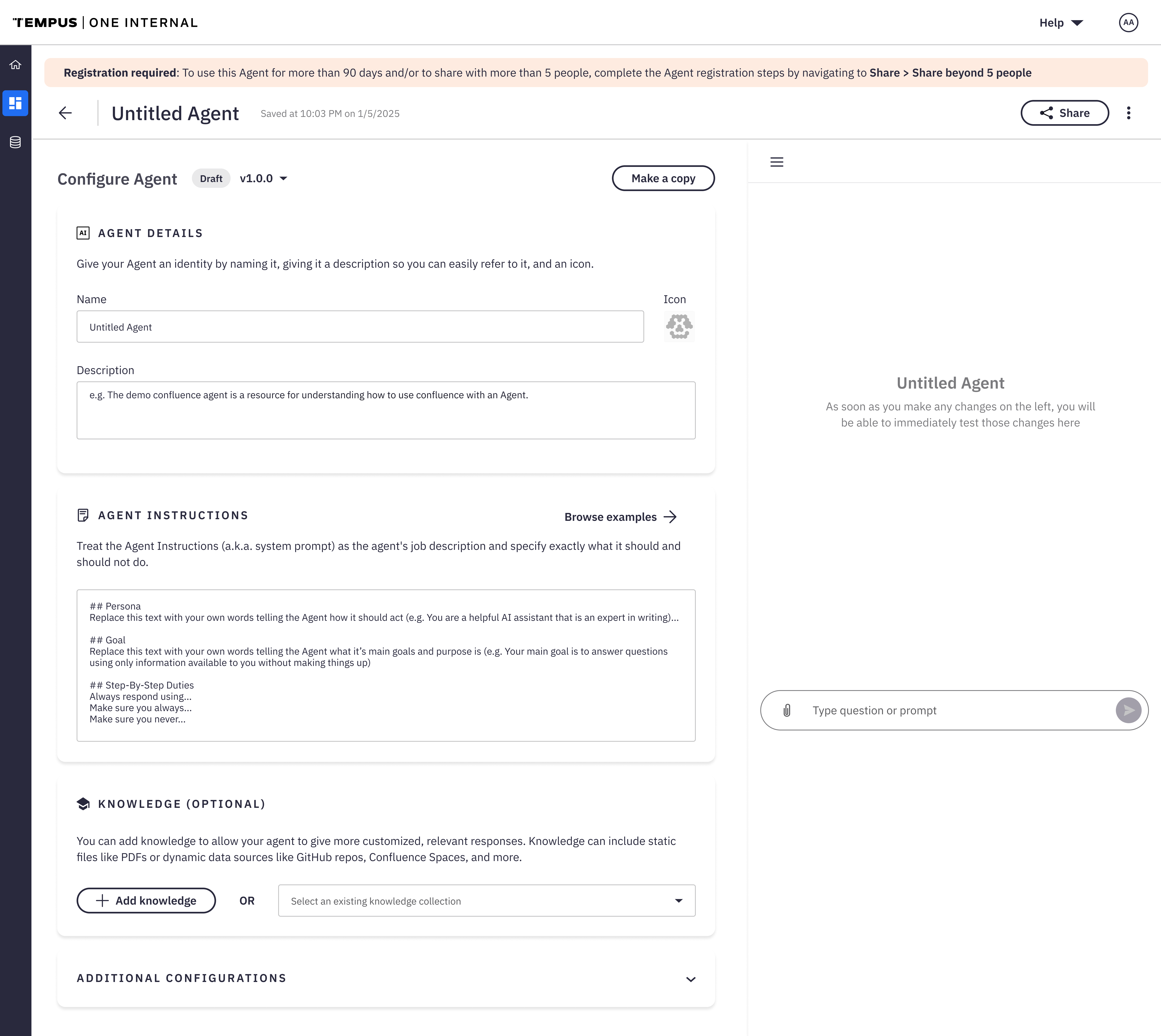
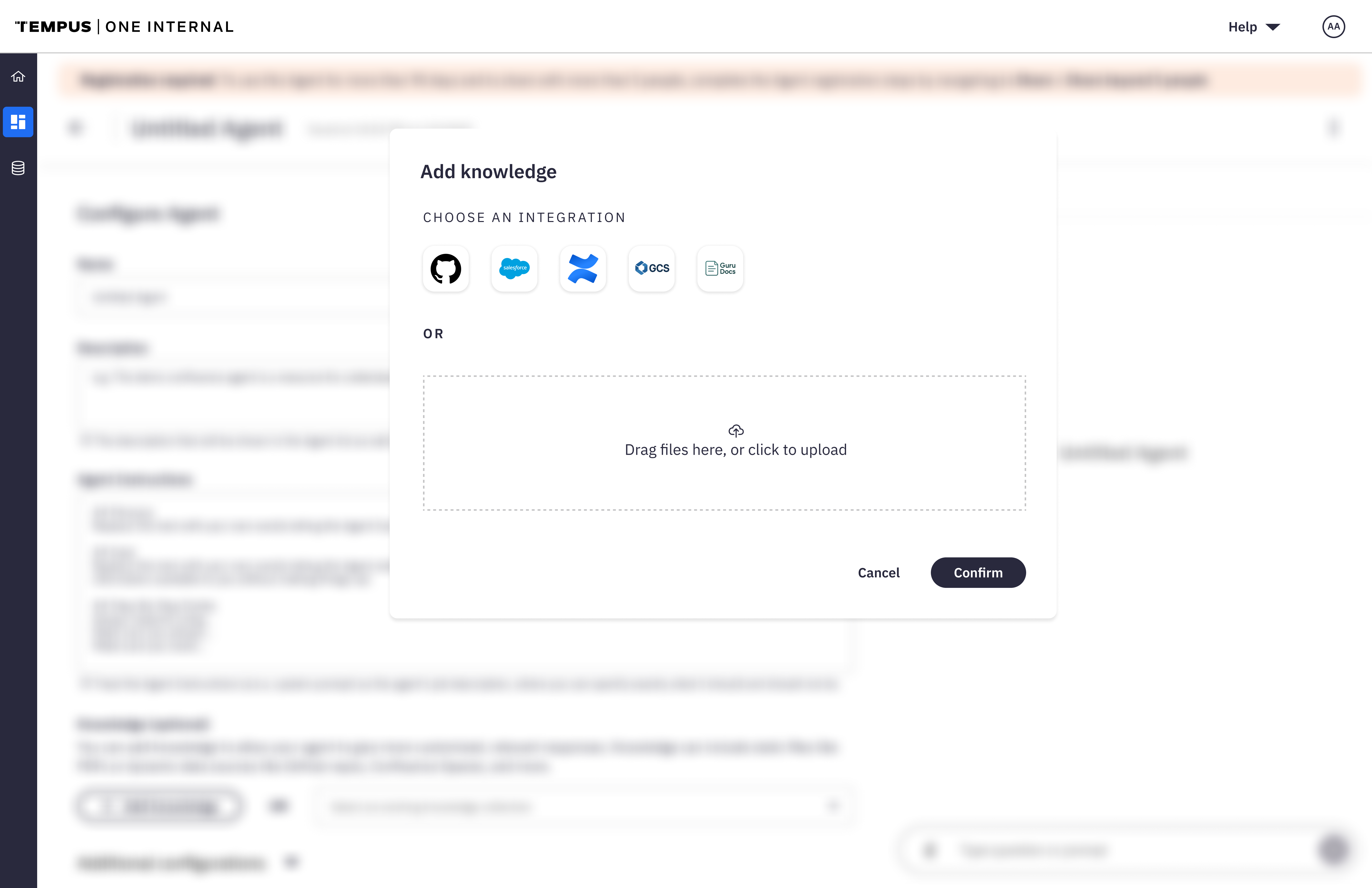
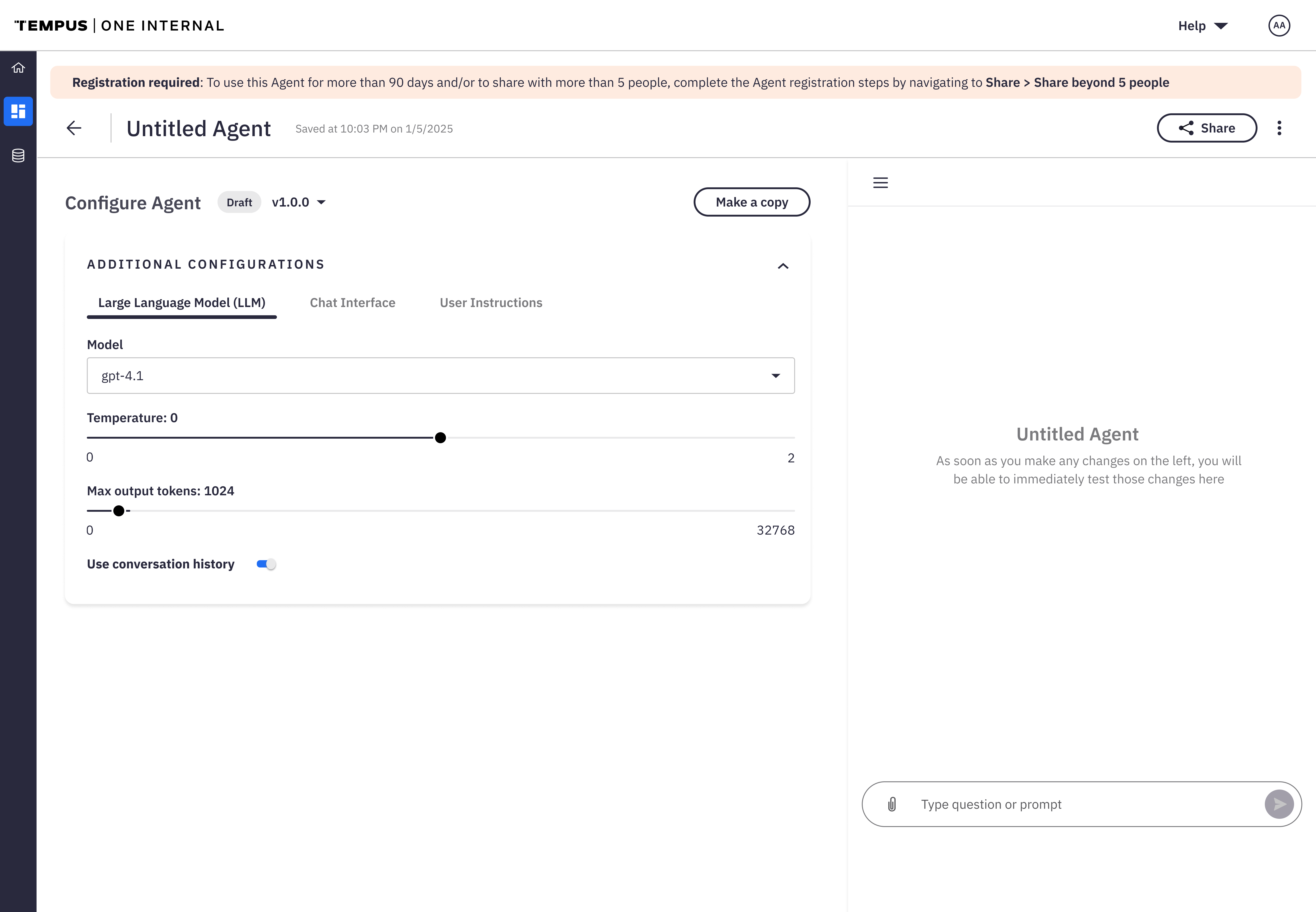
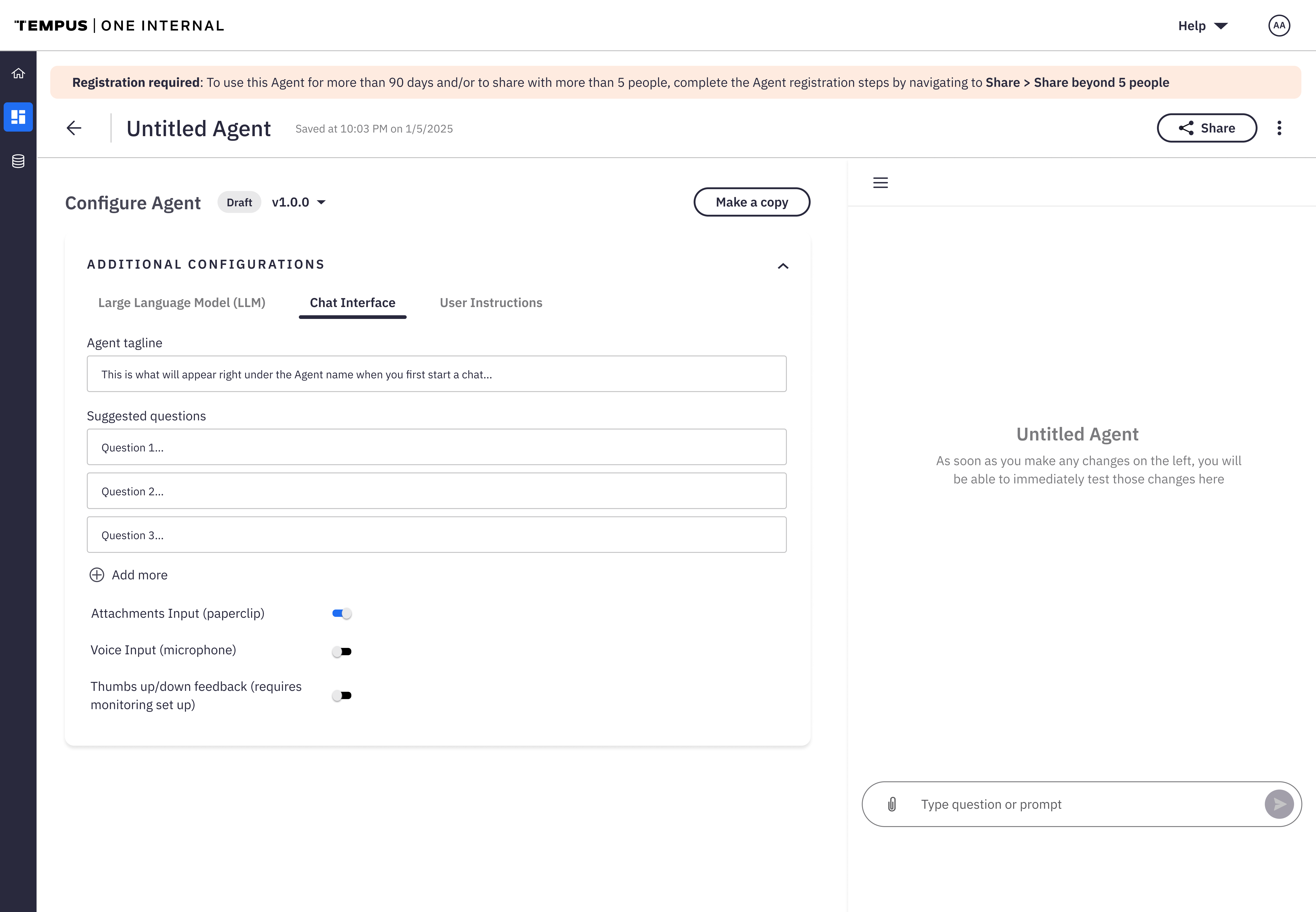
The final designs surfaced only the core components of an agent up front, introduced inline help, and built a guided experience for sharing and registering an agent. Together, these changes turned Agent Builder from an open-ended sandbox into a structured, easy-to-use building experience.
Before
Every advanced option exposed at once. No starting point, no guidance, a steep learning curve for anyone new to the tool.
After
Only the core building blocks surfaced up front. Inline help throughout. A guided flow for sharing and registering an agent.
05 — The final design
The shipped experience
Screens from the live product — the guided build flow, and the guided flow for sharing and registering an agent that replaced the confusion guerrilla testing surfaced.
Guided build — home, configure, knowledge, LLM
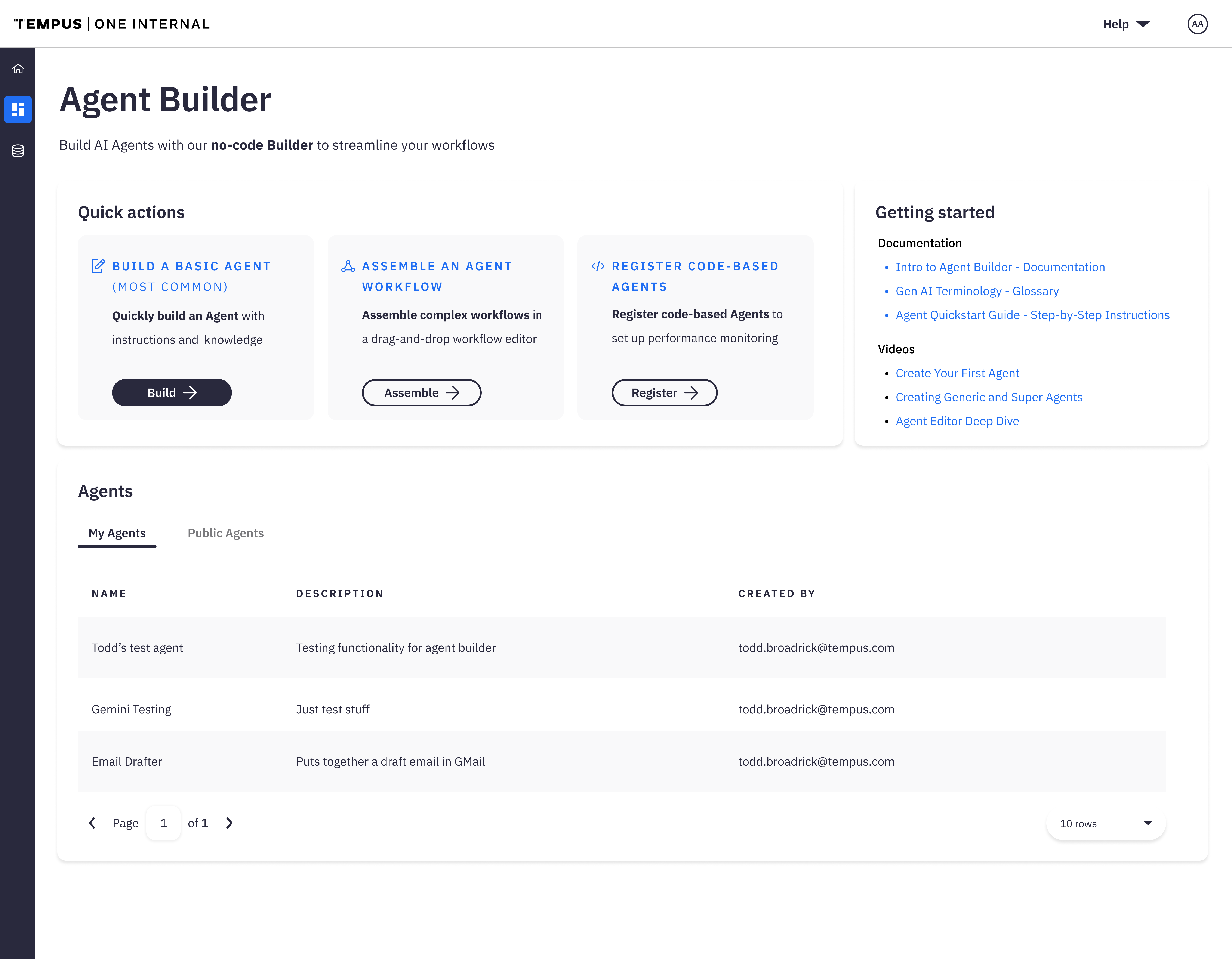
Guided entry point — sharing & registration
06 — The impact
From intimidating to usable
The redesigned Agent Builder had an immediate and visible effect across teams. What had once been seen as powerful but intimidating became a tool that people could actually use confidently.
Early testing after rollout showed that new users could create a functional agent in minutes, compared to hours with the previous version. Teams reported that they needed far less guidance from technical peers, freeing up time for engineering and research staff. Stakeholders and leadership praised the new experience for striking the right balance between flexibility and simplicity — giving users power without overwhelming them.
07 — What's next
Where the work continues
- Add the ability to equip agents with tools, so they can use them when and how they see fit
- Research and understand why users switch from the basic editor to the advanced workflow editor
- Surface an easier way for users to add API calls to their agents
- Continue iterating based on user feedback and maintain a user-centered design philosophy