Summary
Versioning mistakes were only caught after they were expensive
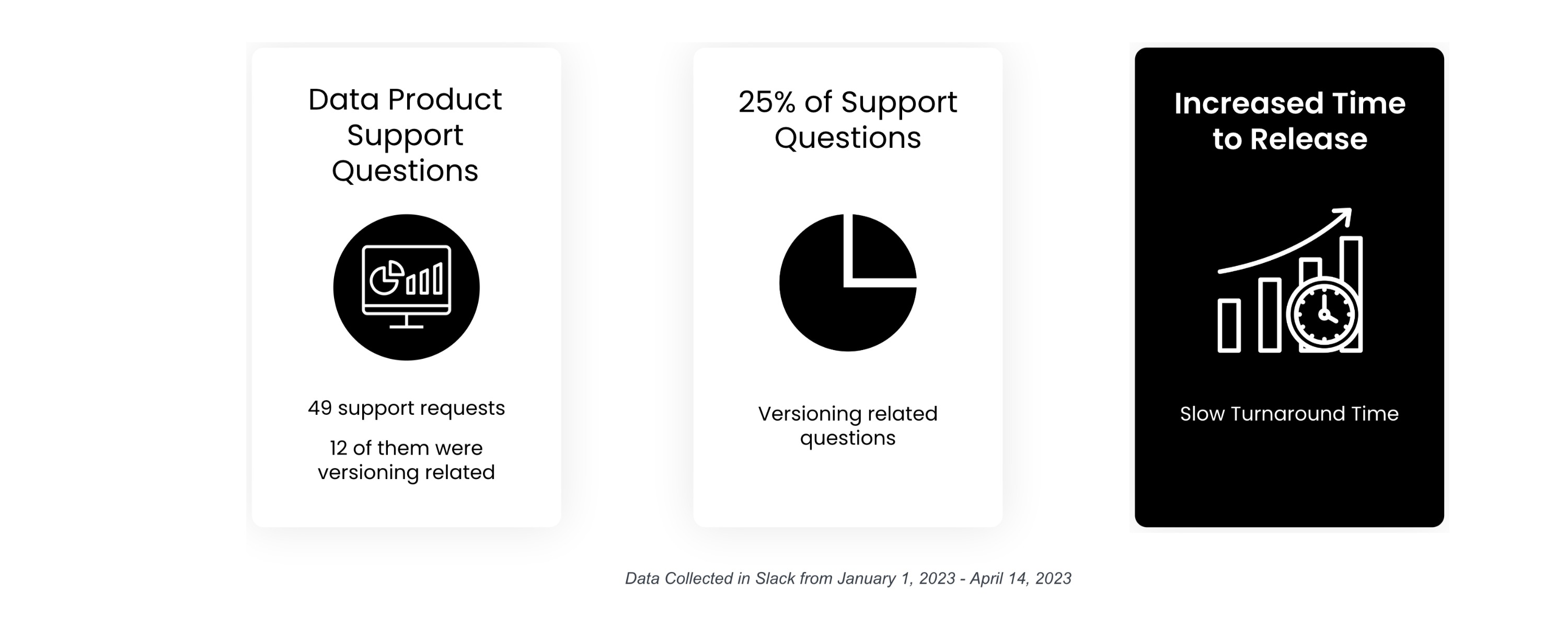
Data Product producers have to create a new version of their Data Product any time the shape of their data is going to change, so that data consumers can understand what changed. The Data Products Console gave them no in-app guidance for doing this correctly — producers found out they'd versioned something wrong only at the very end of their workflow, at which point fixing it meant starting over.
I mapped the current flow, designed two guidance moments into the console, validated them with the engineering team, and rewrote the SDK's error copy so the fix held together end to end.
01 — The problem
No guidance up front, no warning until the end
Producers had to already understand semantic versioning to use the console correctly — the product assumed knowledge it never taught. Errors weren't caught until the review stage, by which point undoing them cost the whole workflow.
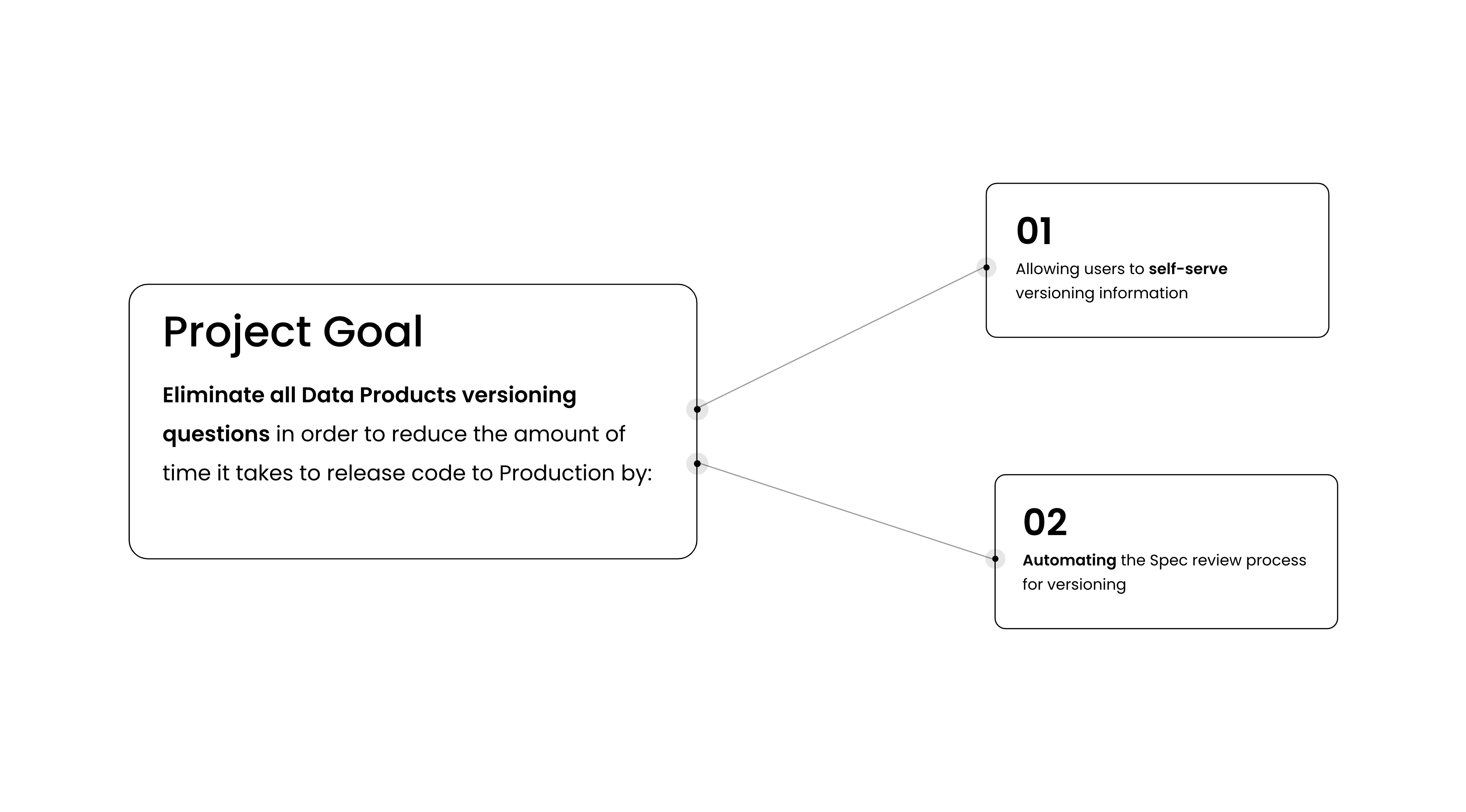
Project goal
Eliminate all Data Products versioning questions in order to reduce the amount of time it takes to release code to production, by:
- Allowing users to self-serve versioning information
- Automating the Spec review process for versioning
02 — How I worked
From current flow to a validated prototype
Three opportunities came out of mapping the current flow; engineering feasibility narrowed the target state to one; a prototype made it testable before anything was built for real.
01 · Map the flow, find the opportunities
I started by mapping the current-state user flow for Data Product producers to see where the opportunity for improvement actually was. Three stood out:
- Provide users versioning assistance right upfront
- Warn users about incorrect versions before they reach the review stage
- Let users update an incorrect version to a suggested version
I sketched a few target-state options, then met with the Data Products engineers to understand what was and wasn't feasible to build. That conversation eliminated two of the target states and left one viable flow to design against.
02 · Mock up the two moments that mattered
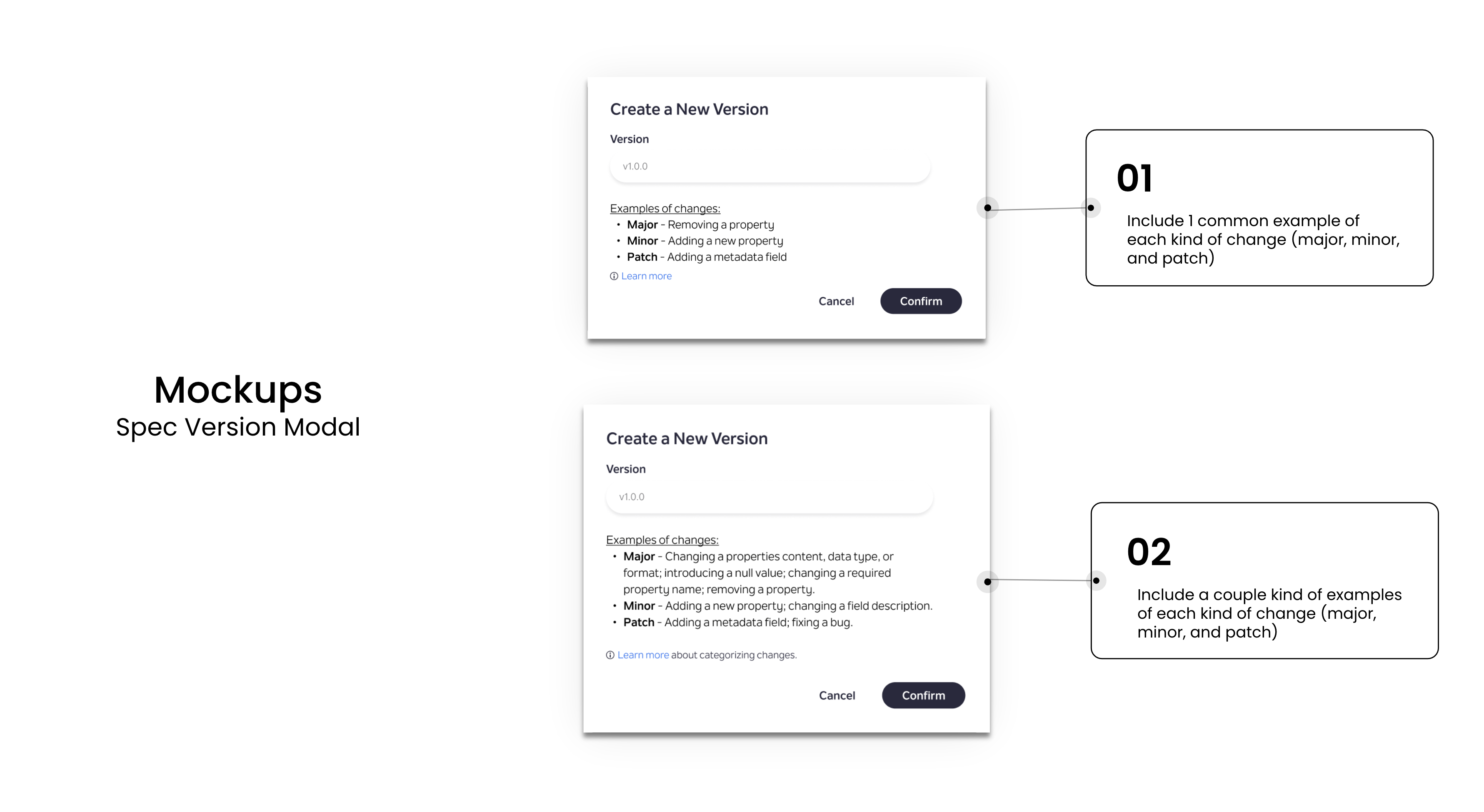
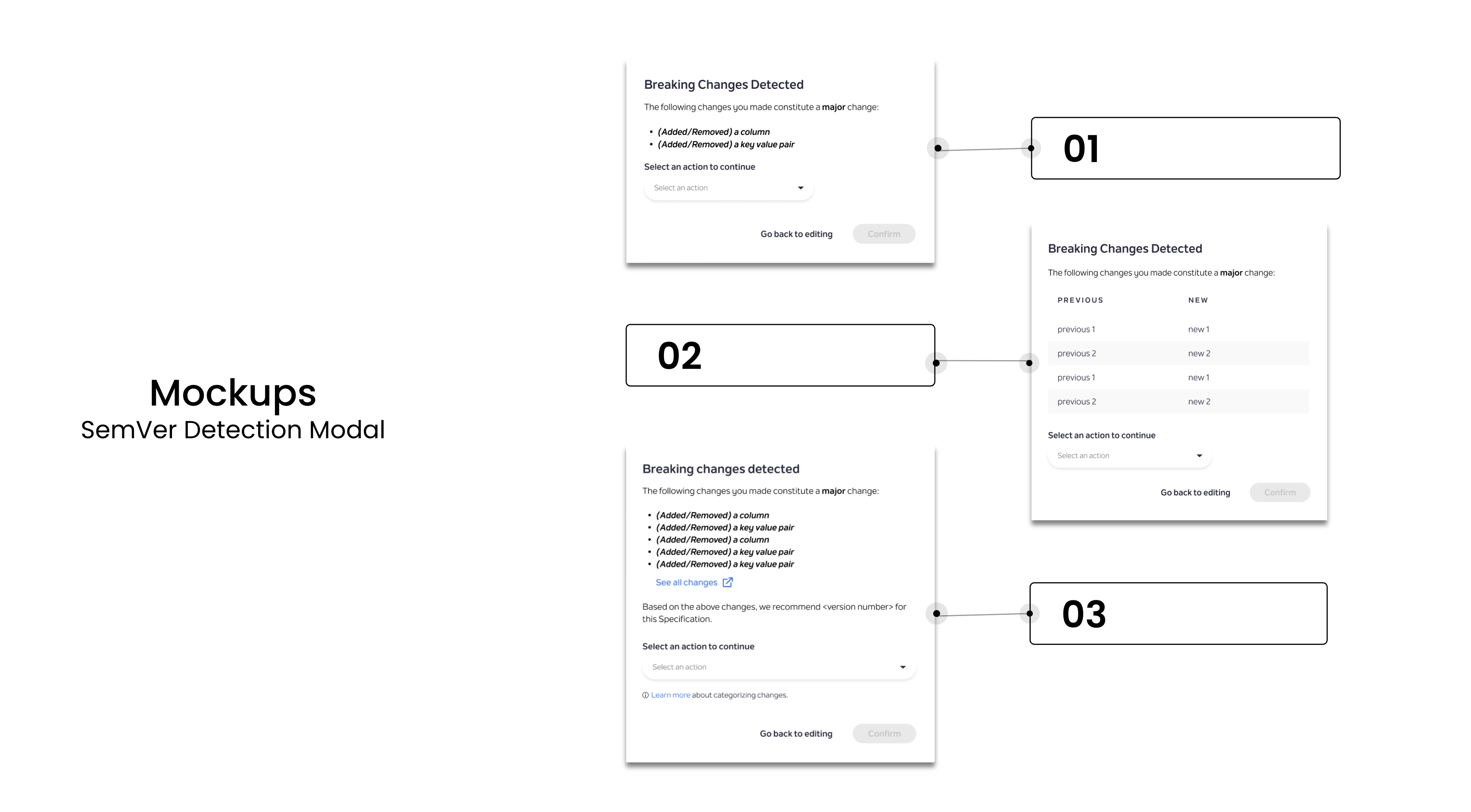
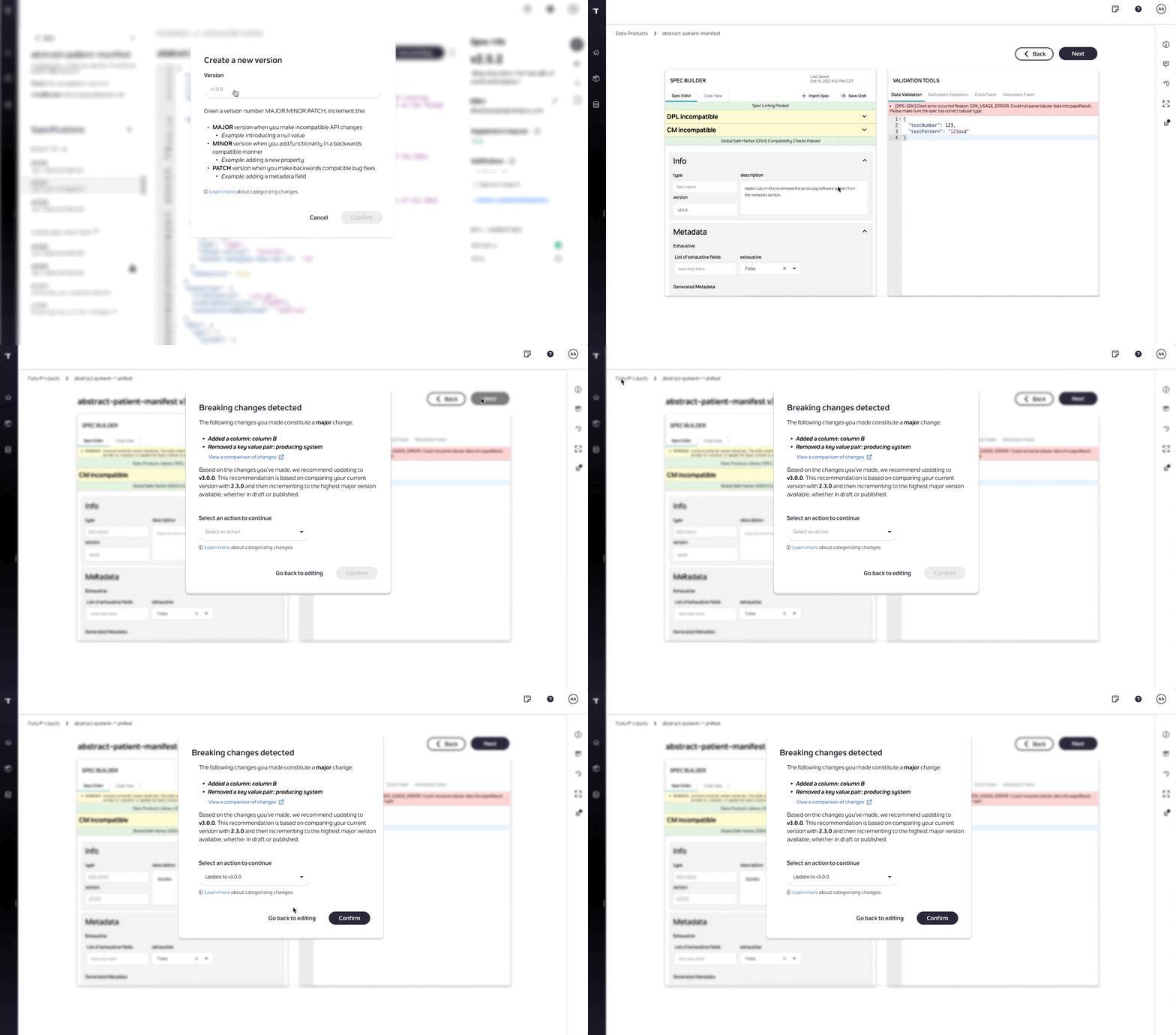
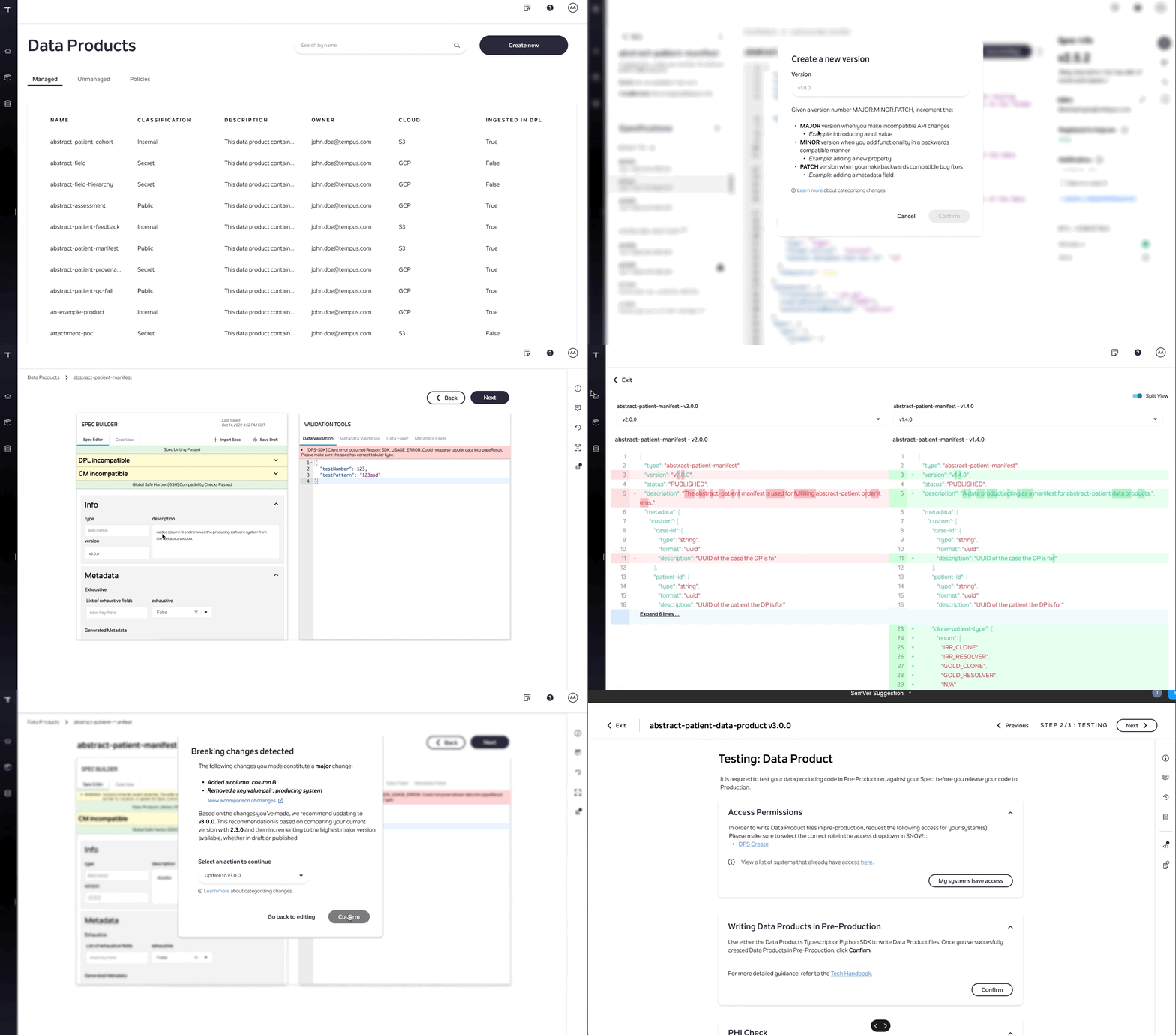
The target flow needed two modals: one to educate the producer up front when they create a new version, and one to flag it when a change they made turned out to be breaking.

03 · Prototype
Both modals went into a clickable Figma prototype so the flow could be tested before any engineering work started on it.
04 · Validate with engineering
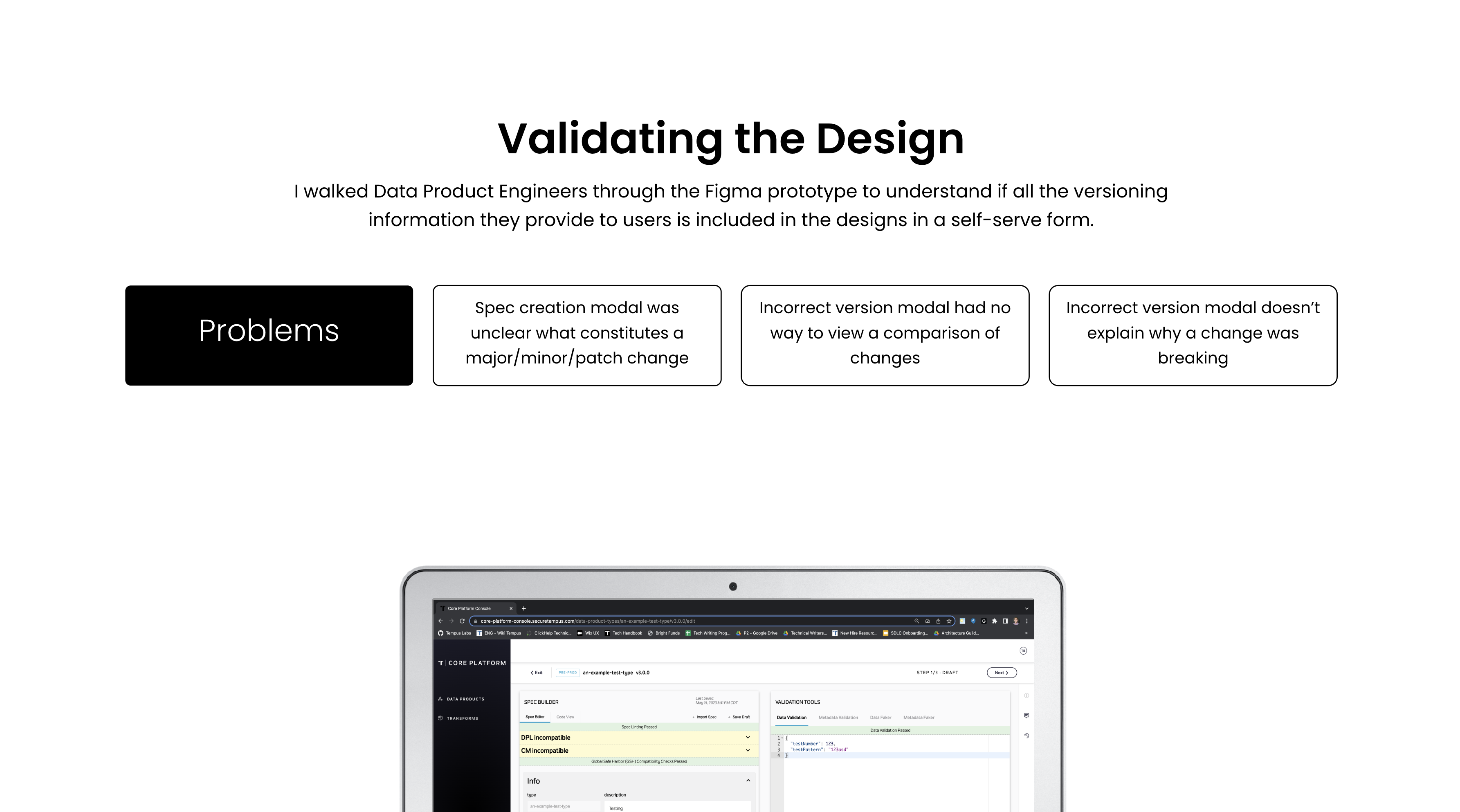
I walked the Data Products engineers through the prototype to check that every piece of versioning knowledge they'd normally explain by hand was represented in the designs in a self-serve form.
Problems found
- The Spec-creation modal was unclear about what actually constitutes a major, minor, or patch change
- The incorrect-version modal had no way to view a comparison of what changed
- The incorrect-version modal didn't explain why a change was breaking
Opportunities
- Add a brief description of each kind of change, with one example, to the Spec-creation modal
- Add a link to a modal that lets users view the Spec differences between versions
- Explain why the suggested version was suggested
03 — The decisions
Two rounds of refinement, plus a fix engineering hadn't asked for
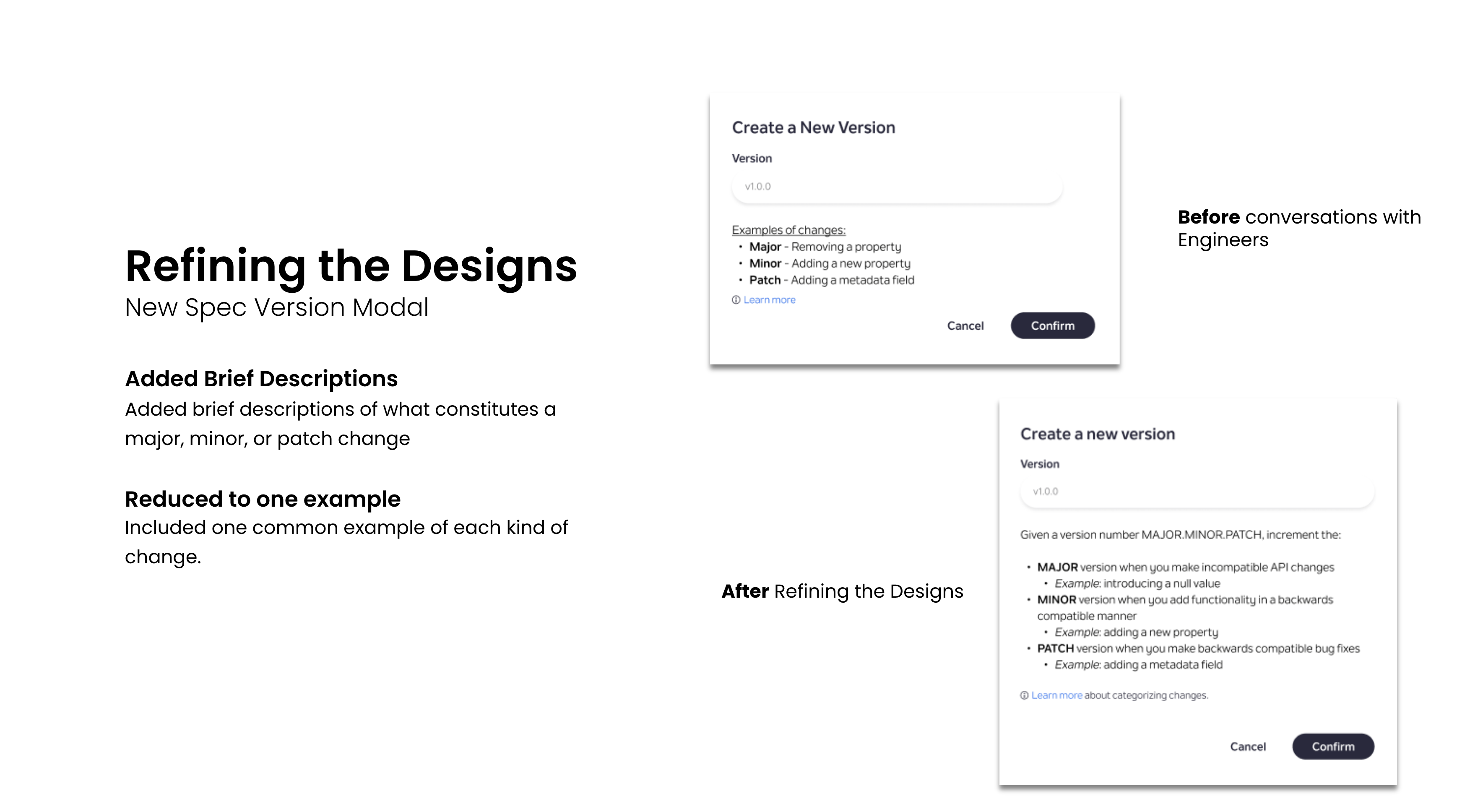
Explain the rule, not just enforce it
On the New Spec Version modal, I added brief descriptions of what constitutes a major, minor, or patch change, and cut the examples down to one common case per type — enough to teach the rule without burying it.
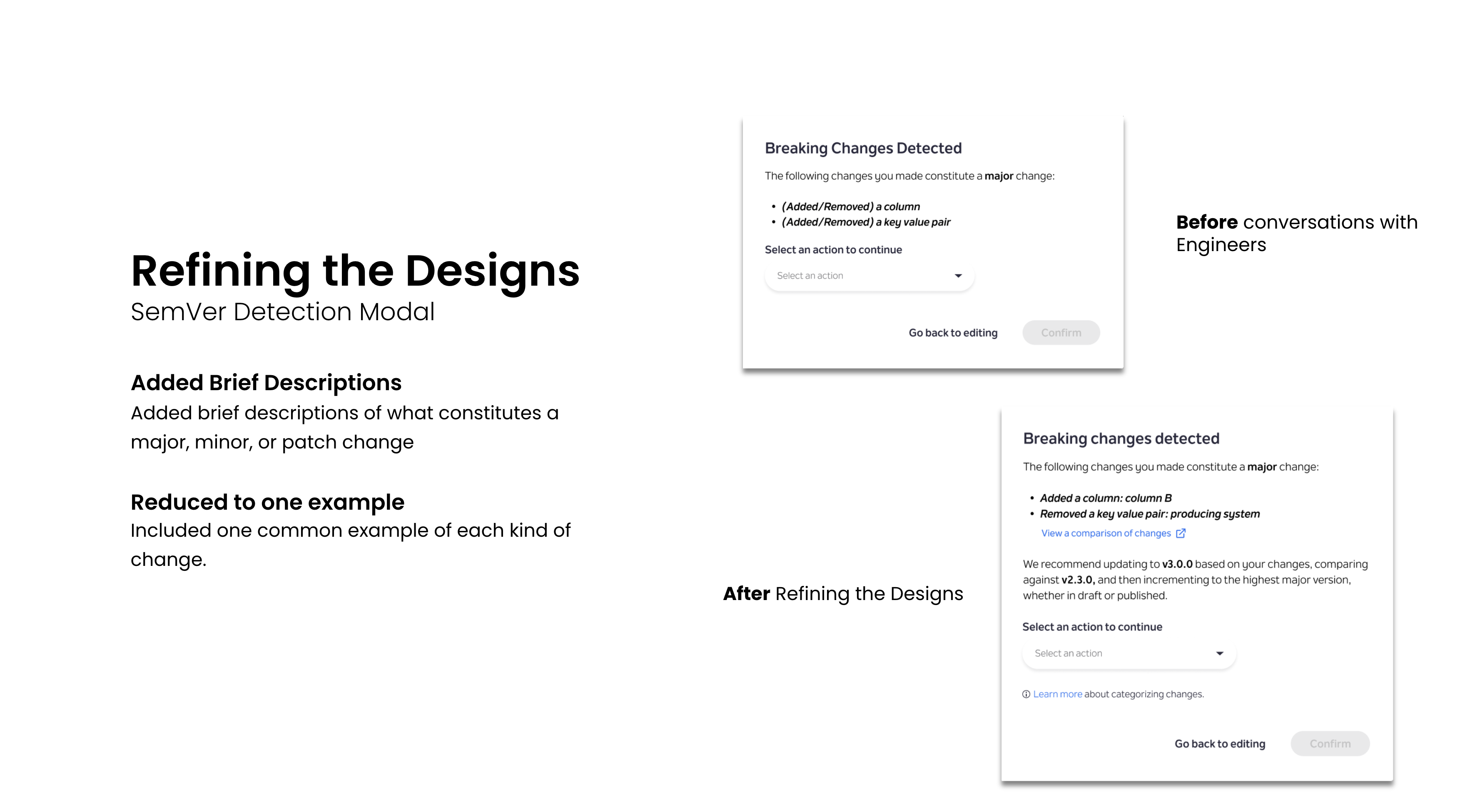
Make the automated detector explain itself
The SemVer Detection modal got the same treatment: brief descriptions and one example each, so the modal doesn't just flag what changed — it explains why that counts as major, minor, or patch.

Fix the words, not just the screens
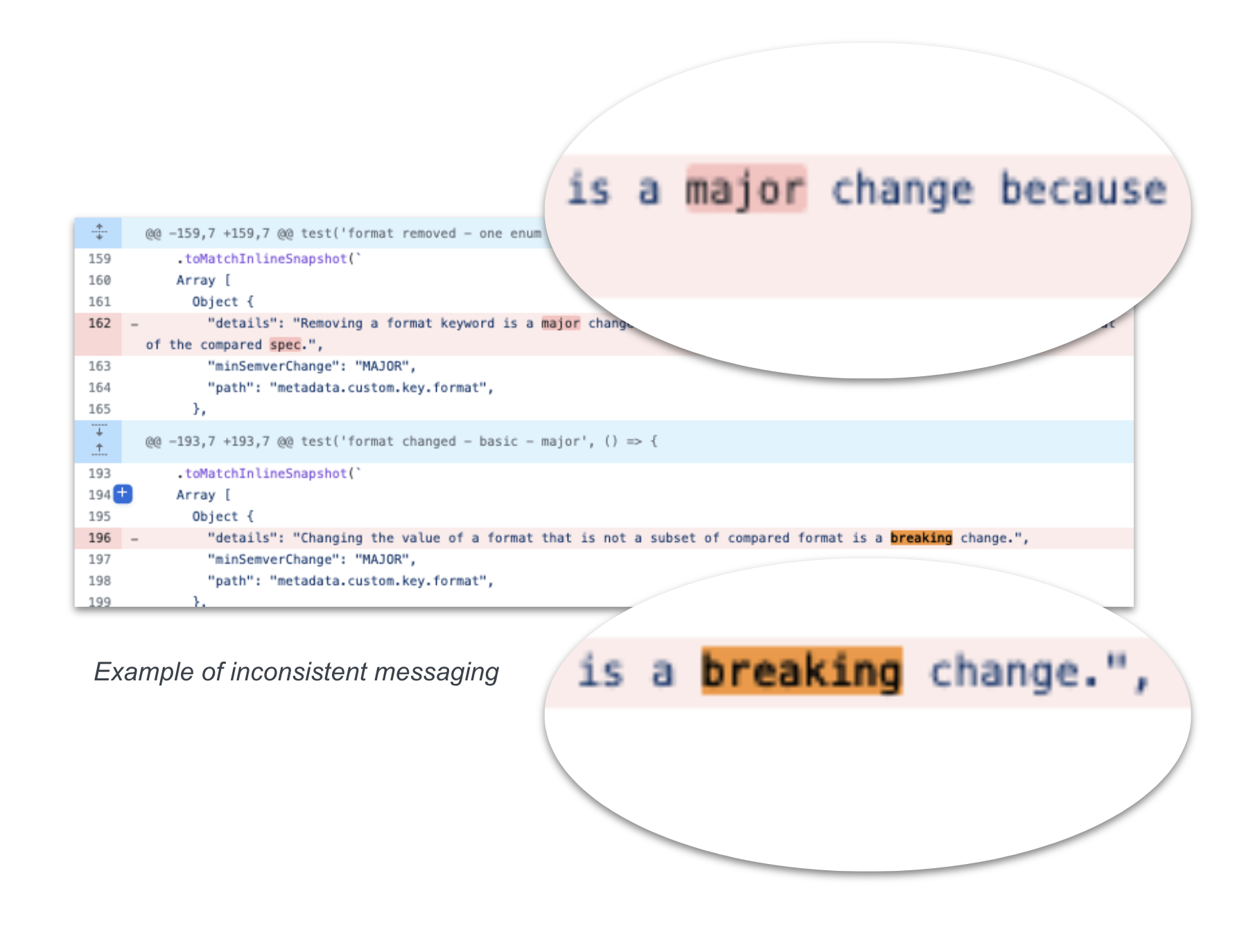
As launch got closer I noticed the incorrect-versioning messages coming out of the TypeScript SDK — a channel the modal redesign never touched — were unclear and inconsistent. I went through the codebase and rewrote the copy:
- Made every "details" line start with a verb, for consistency
- Eliminated inconsistent usage between "major" and "breaking"
- Capitalized MAJOR and MINOR to mark them as semantic-versioning terms, not ordinary adjectives
04 — Final design
The shipped flow
Guidance up front, automated detection on the way out, and copy that explains itself either way.
05 — Reflection
Key takeaways
Small projects still deserve the whole process
It's important even for small projects to go through the whole design thinking process.
Handoff isn't the finish line
Your job as a designer is not done at the final design handoff.
Measure what you shipped
You should always try to gather metrics so that you can understand your level of success.
Where it goes next
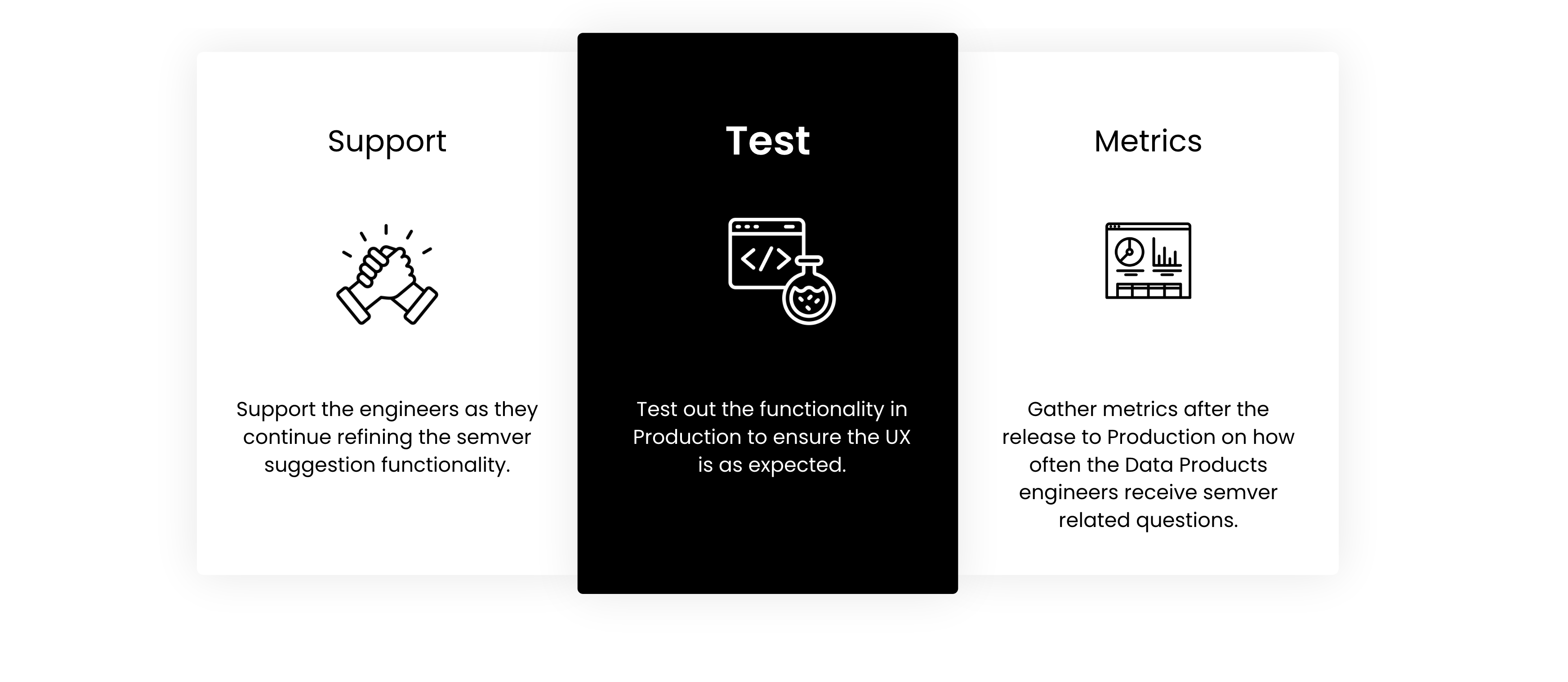
- Support the engineers as they continue refining the semver suggestion functionality
- Test the functionality in production to ensure the UX is as expected
- Gather metrics after the release on how often Data Products engineers receive semver-related questions